
MLB 9 Innings 26
Com2uSSports
4.537.07K Reviews
- Version
- 11.0.7
- Installs
- 10.00M
- Age Rating
- Everyone
Screenshots

Our Review of MLB 9 Innings 26
 Analysis by Appyee
When a baseball game stalls before the first pitch, I try not to assume the controls or my phone are at fault. With MLB 9 Innings 26, there are several layers to get through: the game itself, its team-management menus, and a live match. If something feels slow or confusing, it helps to identify which part is causing the friction before changing settings or spending anything.
Start with the simple checks
I’d begin by checking that the game has finished updating and that the device has enough free space to run it comfortably. The current version is 11.0.0, and the game requires Android 7.0 or later on Android. If you’re installing on an older device, checking compatibility first is more useful than repeatedly attempting a download. MLB 9 Innings is free to install, but it includes optional in-app purchases ranging from $0.99 to $129.99 per item, so I’d also make sure any purchase prompt is intentional before confirming it.
If a menu or match behaves oddly, I’d close the game and reopen it before trying more involved fixes. A stable connection is sensible for any feature that depends on online play, but I wouldn’t treat every delay as a network problem: a crowded menu, a device under load, or a download still in progress can also affect how smooth the experience feels. Make one change at a time, then try the same action again so you can tell whether it helped.
Recover your rhythm without rushing
My practical approach is to separate setup from play. First, look through the roster and lineup at a calm moment; then enter a match once you know where the main team options are. That prevents the early innings from turning into a search through menus. If the game doesn’t respond as expected, back out to a stable screen and retry rather than tapping repeatedly, which can make it harder to tell what the game registered.
I’d also avoid treating a purchase as a troubleshooting step. Spending may speed up access to some items, but it won’t fix a slow connection, an incompatible device, or a control issue. Since the game can be enjoyed without paying, it makes sense to try its regular play first and decide later whether an optional purchase actually solves a need you have.
When the problem is outside the game
A mobile baseball game asks a lot of a short session: it needs readable action, responsive input, and enough time to finish what you start. If the screen feels cramped or your taps are uncomfortable, try a different grip or a quieter setting before deciding the game is poorly designed. If the phone is running hot or other apps are struggling too, the issue may be the device’s current workload rather than this game alone.
It also helps to match the mode to your available time. A quick match is a better fit for a brief break than committing to a longer season session. If your connection is unreliable, choose a part of the game that doesn’t depend on competing live with others rather than repeatedly restarting a real-time match. That small adjustment can make the experience more predictable.
Com2uS developed this free sports game, which has an Everyone age rating. Its 4.5 average from around 242,000 ratings, about 36,000 written reviews, and over 10 million installs suggest it has reached a broad baseball audience, though popularity alone can’t tell you whether its style will suit you. I’d judge it by whether you enjoy both the on-field play and the time spent shaping a roster.
Getting more from a short session
A useful habit is to give each visit one clear purpose: play a match, review the lineup, or work through a season. That keeps the management side from swallowing a break you meant to spend playing. When changing a lineup, make a note of what you changed in your head and test it in play; altering several things at once makes it difficult to learn which choice actually improved the team.
For a newcomer, I’d spend the first few sessions learning the basic rhythm rather than chasing every menu option. Baseball decisions make more sense when you can connect the situation on the field with the lineup you set beforehand. The game’s customization can be enjoyable, but it also creates a real trade-off: more control means more decisions, and players who want to jump straight into action may find the management layer distracting.
Gameplay and Features
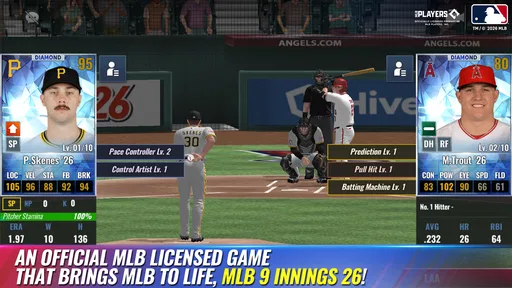
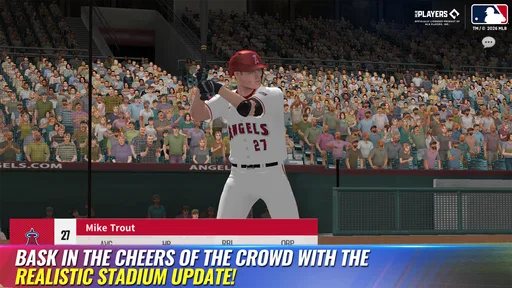
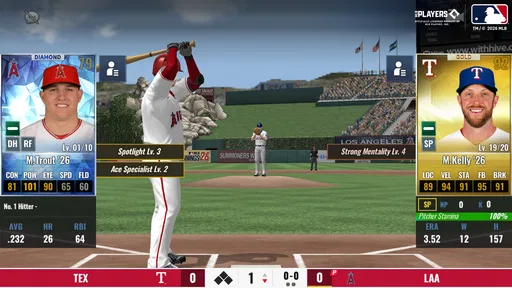
The first thing that stood out to me in MLB 9 Innings 26 is its incredibly detailed graphics. From the realistic player movements to the beautifully rendered stadiums, it's clear that a lot of work went into making this game visually appealing. If you're someone who appreciates eye candy in your games, this one definitely delivers.
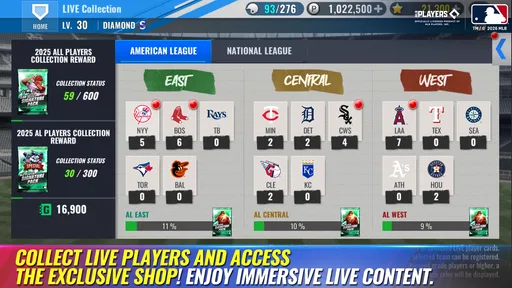
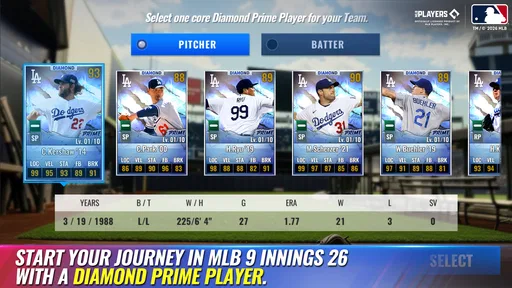
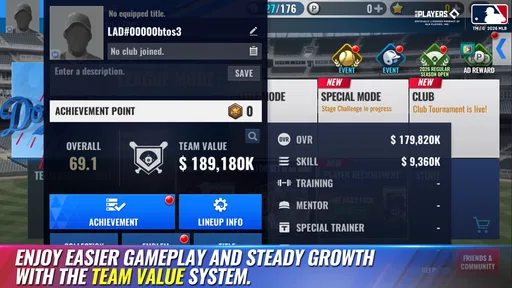
The game boasts a plethora of features, allowing you to customize your team, manage your roster, and even trade players. The breadth of options available lets you feel like a real MLB manager. I found myself getting lost in the customization features, tweaking my lineup and strategizing for upcoming games.
Game Modes
One of the highlights is the variety of game modes. Whether you’re into quick matches or want to dive into a full season, there's something here for every player. I personally enjoyed the Challenge Mode, where you can compete against other players in real-time. It adds a competitive edge that's both thrilling and addictive.
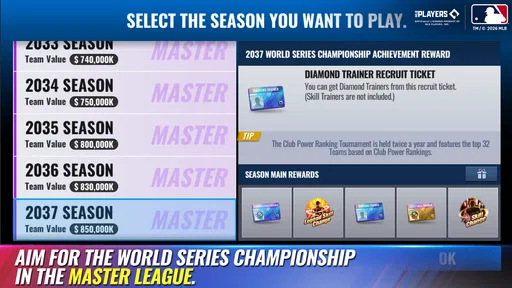
For those who prefer a solo experience, the League Mode offers a comprehensive season playthrough. It's perfect for honing your skills and perfecting your team lineup. The sense of progression as you move through the season is satisfying and keeps you coming back for more.
Controls and User Interface
The controls in MLB 9 Innings 26 are intuitive and easy to pick up, even for those new to baseball games. The game offers a simple tap-and-swipe mechanic that feels natural and responsive. I found myself getting into the rhythm of the game quickly, which speaks volumes about its accessibility.
The user interface is clean and well-organized, making it easy to navigate through the various menus and options. Whether you're managing your team or jumping into a match, everything is just a few taps away. This simplicity is a big plus, especially when you're eager to get back on the field.
In-Game Purchases and Monetization
Now, let's talk about the elephant in the room: in-game purchases. Like many mobile games, MLB 9 Innings 26 includes microtransactions. While the game is free to play, certain features and items can be unlocked more quickly through purchases. I found that while you can enjoy the game without spending money, the temptation is always there to speed things up with a quick purchase.
For those with a competitive streak, investing in some of these items might be worth it to enhance your experience. However, casual players can still have a great time without spending a dime, which is a nice balance.
Who will enjoy the daily routine?
I think the best fit is someone who likes baseball as more than a sequence of big hits. The appeal here comes from moving between the match and the management decisions around it: choosing a lineup, thinking about what to adjust, then seeing how those choices feel on the field. If that loop sounds satisfying, the game can give a short break a sense of purpose without requiring every visit to become a long session.
Picture a commute or a quiet stretch at home when you have a few minutes to spare. I’d use that time to check the roster or play a brief match, rather than starting a season session when I might need to stop halfway through. Later, when I have more time, I can settle in and focus on League Mode. This simple division makes the game easier to fit around a normal day and reduces the frustration of having to abandon a longer session unexpectedly.
On the other hand, if you want a very lightweight arcade game with almost no decisions between matches, this may not be the right choice. The roster tools and customization are part of the attraction, but they add attention and menu time. Someone who mainly wants a quick burst of action might be happier with a simpler sports title, while a fan who enjoys building and adjusting a team is more likely to appreciate the extra layer.
How it compares with other mobile baseball games
Compared with a basic pick-up-and-play baseball game, this one puts more weight on team management and season progression. That makes it a stronger option for players who want the results of their lineup choices to matter across repeated sessions, rather than treating every match as a fresh, isolated contest. The trade-off is that the menus and decisions are not just decoration; they ask you to spend time planning as well as playing.
It also differs from watching baseball highlights or following a live game: MLB 9 Innings gives you direct input and a team to shape, but that involvement means it is not a substitute for a quick, passive way to catch up on the sport. I’d choose it when I want to participate and experiment, and choose a simpler game when I only have a moment and don’t want to think about a roster. That distinction is more useful than expecting one mobile title to suit every baseball mood.
Small decisions that improve the experience
When I’m learning a game with both lineup tools and match play, I avoid changing the whole team after one disappointing result. I’d adjust one part of the setup, play again, and see whether the decision feels better. This is not a shortcut to guaranteed wins; it’s a way to understand the relationship between the team choices and what I experience in a match, without turning every setback into a complete rebuild.
I’d also keep competitive play for moments when I can give it attention. Challenge Mode’s real-time competition can be exciting, but it is a less comfortable fit if I’m distracted or likely to lose my connection. Solo season play is the safer choice when I want a more self-directed session, while a quick match works when I want to get straight to the field. Picking by mood and available time is a practical way to avoid blaming the game for a mismatch between the mode and the moment.
Another useful boundary is to decide what “progress” means before opening the game. It might be finishing a match, getting familiar with a lineup, or simply enjoying a few innings. Without that small goal, it is easy to wander among management options and feel that a short session did not deliver much. I find that a clear purpose makes the amount of choice feel like an advantage rather than a chore.
Final Thoughts
Overall, MLB 9 Innings 26 is a solid entry in the series and offers a lot for both casual fans and baseball enthusiasts. Its stunning graphics, varied game modes, and intuitive controls make it a joy to play. While the in-game purchases might not be for everyone, the game offers enough content to keep you entertained without opening your wallet.
Give it a shot if you're looking to experience the thrill of baseball from your mobile device. Whether you're managing your dream team or hitting home runs, MLB 9 Innings 26 is sure to provide hours of entertainment. You can download it now on Android and iOS and see if it becomes your next favorite pastime.
My practical verdict
I’d recommend it to a baseball fan who wants both hands-on play and a reason to revisit a team over time. The clearest strengths are the polished presentation, several ways to approach a session, and the ability to spend time on lineup decisions as well as matches. For me, that combination is more distinctive than a game built only around isolated batting moments.
I would be more cautious if you dislike management menus, prefer every feature to be immediately obvious, or are looking for a game that never puts optional purchases in view. It is free to start, but the in-app price range stretches from $0.99 to $129.99 per item, so I’d set a personal spending limit before browsing purchase options. You do not need to buy anything simply to find out whether the core baseball routine works for you.
For a quick decision: try it if you enjoy the sport and like tinkering with a roster; skip it if you want a very simple arcade diversion or have little patience for progression and team decisions. Its Everyone rating makes it broadly accessible by age, but the best match is still a player who wants to engage with baseball rather than just tap through a few flashy moments. I’d start with a short, low-pressure session, learn the menus, and then decide whether the season and competitive options make you want to return.
Verdict
Strengths of MLB 9 Innings 26
- Realistic graphics enhance gameplay experience.
- Comprehensive team management options.
- Regular updates with new events.
- Wide variety of player customization.
- Engaging multiplayer mode.
Limitations of MLB 9 Innings 26
- Occasional in-app purchase prompts.
- Requires stable internet connection.
- Can be resource-intensive on devices.
- Limited offline gameplay features.
- Somewhat steep learning curve.
Other Releases by Com2uS
View All
Summoners War
Role Playing3.9

Golf Star™
Sports3.7

Ace Fishing: Wild Catch
Sports4.5

MLB 9 Innings Rivals 26
Sports4.3
Similar Picks in This Category
View All
8 Ball Pool
Miniclip.com4.8

Pooking - Billiards City
AIM TOP GAME TECHNOLOGY LIMITED - pool4.6

Carrom Pool: Disc Game
Miniclip.com4.4

EA SPORTS FC Soccer Mobile 26
ELECTRONIC ARTS4.6

World Soccer League
mobirix4.3

Soccer Cup 2026: Football Game
INLOGIC SPORTS - football tennis golf soccer4.3
Frequently Asked Questions
What is MLB 9 Innings 26 and what makes it unique?
MLB 9 Innings 26 is a mobile baseball game that offers an immersive experience with realistic graphics and licensed MLB teams and players. What sets it apart is its comprehensive gameplay mechanics, including a variety of modes such as league play and live events, and its detailed attention to player stats and team management, providing both casual and hardcore fans with an engaging experience.
How does the gameplay of MLB 9 Innings 26 cater to both casual and hardcore players?
MLB 9 Innings 26 caters to casual players with its easy-to-navigate interface and quick game modes that allow short, enjoyable play sessions. For hardcore players, it offers in-depth team management, strategic play options, and a challenging league mode. This dual focus ensures that players of all skill levels can enjoy the game at their own pace.
What kind of in-app purchases are available in MLB 9 Innings 26?
In MLB 9 Innings 26, players can purchase various in-game items such as player packs, upgrades, and special event tickets. These purchases can enhance gameplay by speeding up progress or unlocking exclusive content. While these are optional, they provide additional features and benefits that can enhance the overall gaming experience.
Is an internet connection required to play MLB 9 Innings 26?
Yes, MLB 9 Innings 26 requires an internet connection for most of its features, especially those involving real-time updates, multiplayer modes, and live events. While some basic gameplay features might be accessible offline, the full experience, including online competitions and updates, is available only with a stable internet connection.
How does MLB 9 Innings 26 handle updates and new content?
MLB 9 Innings 26 regularly receives updates that include the latest player rosters, improved gameplay mechanics, and new content such as special events and seasonal challenges. These updates ensure the game remains fresh and aligned with real-world MLB seasons, providing players with ongoing content and improvements.
Play our best games!


